
SCRL: Photo Collage Maker
Appostrophe ABPhotography
4.71.14K Reviews
- Version
- 1.34
- Installs
- 10.00M
- Age Rating
- Everyone
Screenshots
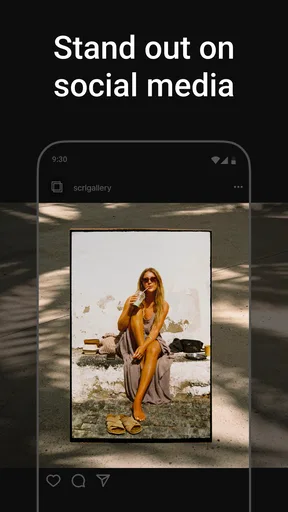
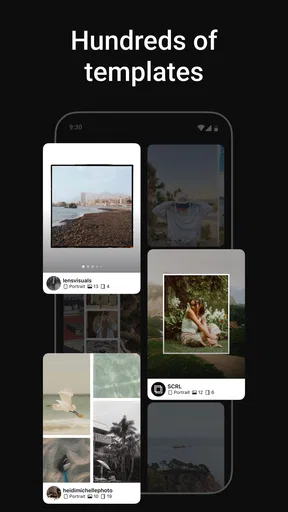
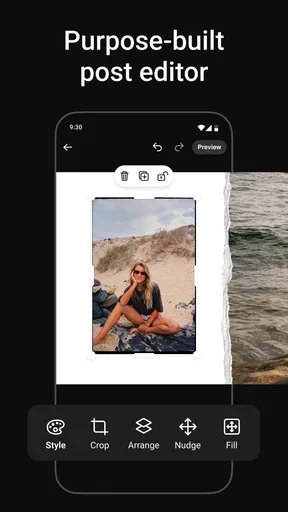
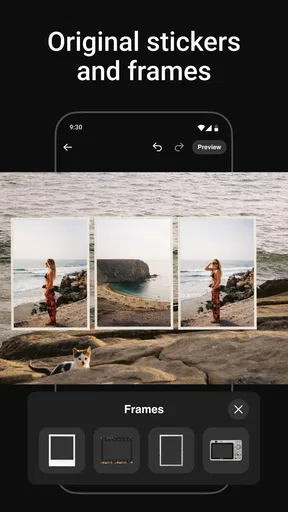
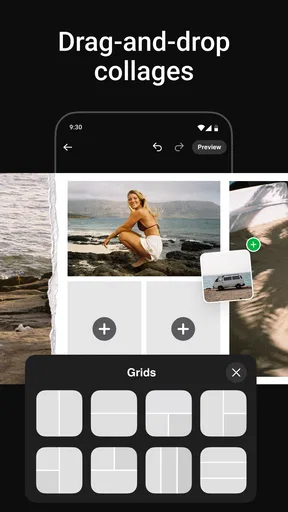
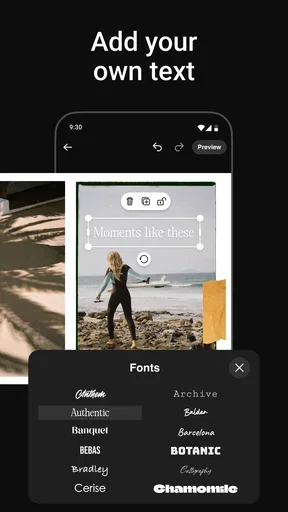
Our Review of SCRL: Photo Collage Maker
 Analysis by Appyee
When I’m assembling a post on my phone, the slowest part is often not choosing photos but making them feel like they belong together. That is where Photo Collage Maker: SCRL makes sense: it is a photography app focused on arranging several images into a composed Instagram post, including layouts that invite people to swipe across a sequence. I find that approach most useful when a set of pictures tells one story better than a single image can.
Where a connection changes the workflow
SCRL’s appeal is clearest when I already know what I want to share and can concentrate on arranging it. But a social-posting workflow naturally has connected steps: browsing inspiration, preparing a design, and eventually putting it in front of an audience. I treat the finished collage as something to review before sharing rather than assuming that every part of that process happens in one uninterrupted session. If my connection is unreliable, I would plan the design around the photos I already have and leave posting until I can check the result in its intended setting.
That distinction matters for a carousel. A collection of images can look polished as separate panels yet feel awkward when viewed in sequence. I try to decide on the opening image first, then arrange the remaining photos so each swipe adds something rather than repeating the same moment. A useful check is to look at the whole sequence as a story: does it move from place to detail, or from preparation to finished result? That simple planning step can save time later, especially if I am working between errands rather than sitting down for a long edit.
Making it work on a small screen
On a phone, it is tempting to keep adjusting details because the canvas is right there in my hand. I get better results when I first choose a clear visual priority: perhaps one hero photo, a few supporting images, and a short caption or label. If every panel competes for attention, a carousel can become busy even when each individual picture is attractive. I also make a quick pass at the end to check that faces, signs, or other important details are not lost near the edges of a layout.
A realistic use case is sharing a weekend market visit. I might put the stall or finished dish first, use the next images for ingredients and small details, and finish with a wider scene that gives the post a sense of place. That is more coherent than uploading a cluster of unrelated snapshots, but it does require selecting rather than including every photo. SCRL is a good fit for that kind of deliberate edit; if I only want to post one image quickly, the extra layout work may not be worth it.
Recovering from a design that is not working
When a collage starts to feel crowded, I do not keep adding decoration to rescue it. I remove an image or simplify the arrangement first, then decide whether text or a background actually adds useful context. This is a practical way to recover from a layout that has drifted away from the story. It also helps to keep an untouched copy of the original photos in mind: the goal is to present them well, not to make every picture fit a design at any cost.
There is a trade-off between flexibility and speed. Moving elements around can make a post feel personal, but too many small changes can turn a quick share into a fiddly project. I would settle the photo order before fine-tuning text or decorative touches. For a post that has to be published promptly, a simpler arrangement is often stronger than a more elaborate one that I have not had time to inspect as a complete sequence.
Using mobile data thoughtfully
Because SCRL is intended for social-ready visual work, I think about the finished files and the moment of sharing as separate decisions. If I am watching my data use, I can prepare the composition first and wait until a suitable connection is available before sending or posting anything. I would also avoid repeatedly exporting slightly changed versions when one careful final check can catch spacing and ordering issues. That is not a special trick; it is simply a less wasteful way to work with image-heavy posts.
SCRL is free to download, with in-app purchases priced from $4.99 to $49.99 per item. I would start with the features available in the version I have installed and only consider a purchase if I have a recurring need it addresses. That is especially sensible for occasional users: a one-off travel carousel may not justify paying for extras, while someone who regularly prepares visual posts may value the time saved by a workflow that suits them.
Getting Started with SCRL
When I first opened Photo Collage Maker: SCRL, the interface immediately caught my eye. It’s sleek, intuitive, and just plain fun to use. You don’t need to be a professional graphic designer to whip up something eye-catching. The app offers a variety of templates and layouts that make creating collages a breeze. Whether you want to showcase a recent trip or a day in the life, SCRL’s layouts have got you covered.
One thing I found particularly cool is the drag-and-drop functionality. It’s super easy to move photos around and test different layouts without any hassle. The app also allows you to add text, stickers, and backgrounds, giving you full creative control over your projects. This level of customization means that every post can be unique and tailored to your taste.
Features that Stand Out
Now, let’s talk features. One of the standout elements of SCRL is its seamless integration with social media platforms. You can directly share your creations to Instagram, Facebook, and more with just a tap. This makes it incredibly convenient to showcase your work to the world without having to jump through hoops.
The app also supports high-resolution exports, which is a huge plus. Whether you’re a casual user or someone who needs professional-quality images, SCRL ensures your photos look crisp and vibrant when shared. Trust me, your followers will notice the difference.
Another feature I found really useful is the ability to layer photos and text. You can create depth and dimension in your collages, making them not just a collection of images, but a true work of art. The layering tool is intuitive and doesn’t require a steep learning curve, which is a big win for those of us who want great results without a lot of fuss.
Why You’ll Love It
So, why should you give SCRL a shot? For starters, it’s perfect for anyone who loves to express themselves visually. Whether you’re a travel blogger, foodie, or just someone who loves sharing memories, SCRL gives you the tools to do it in a unique and engaging way.
I also appreciate how the app caters to both beginners and experienced users. The templates and easy-to-use interface make it accessible, while the advanced features like custom templates and detailed editing options give seasoned users the freedom to create sophisticated designs.
Moreover, SCRL is regularly updated with new features and templates, ensuring that your creativity is never stifled. The developers seem genuinely interested in user feedback, which means the app is always evolving to meet the needs of its community.
Choosing it over a basic collage editor
Compared with a typical collage maker that places pictures together in a single square or grid, SCRL is more compelling when I want a post to unfold across multiple panels. That format gives a travel recap, a recipe process, or a small product showcase room to breathe. A basic editor is still the better choice when I need a quick side-by-side comparison or a one-frame greeting; it is usually less work to make a simple grid than to plan a sequence.
I would also choose a dedicated photo editor instead when the main task is correcting color, removing distractions, or retouching one image. SCRL’s strength is composition and presentation, not replacing every tool in a photography workflow. For a small business owner, for example, it can help turn a handful of product angles into a more considered social post, but it is not a substitute for careful photography or a complete campaign-planning tool.
Who should give it a try
The app suits people who regularly gather photos around one theme and want more control over how those images appear together. It is approachable for someone making a first carousel, while its layout and layering options give a more experienced poster room to refine a look. Appostrophe AB is the developer, and the app has a 4.5 average from around 313,000 ratings, with more than 10 million installs. Those figures suggest a broad audience, but I would still judge it by whether its composition-first approach fits my own posting habits.
It is less suitable if I rarely share multiple pictures, prefer to edit everything on a larger screen, or need advanced image correction as the main part of the process. It may also frustrate someone who wants a post finished in seconds: choosing a sequence and adjusting its layout take attention. The age rating is Everyone, and the current version is 1.14.4; it requires Android 7.0 or later. The app was released on February 20, 2024, and is free to install, though optional purchases are available.
Final Thoughts
In a world where visuals play such a crucial role in communication, having an app like Photo Collage Maker: SCRL in your arsenal is a game-changer. It’s more than just a collage maker; it’s a platform for storytelling and creativity. Whether you’re sharing moments with friends or building a brand, SCRL provides the tools to make your images stand out.
Overall, I highly recommend giving SCRL a try. It’s easy to see why it’s become a favorite among influencers and casual users alike. So go ahead, download it, and let your creativity run wild. You might just find yourself spending hours crafting the perfect collage—and loving every minute of it!
My practical verdict is more measured: I would choose it when a swipe-through sequence can make the photos easier to follow, and skip it when a single edited picture or a fast grid will do. A little planning around image order, connection, and a final preview makes the experience feel more intentional. For that focused kind of social post, SCRL offers a useful creative route without asking me to approach every photo as a full design project.
Privacy and Permissions
See what permissions an app requests and how it handles your data.
- Photos/Media/Files
- read the contents of your USB storage, modify or delete the contents of your USB storage
- Storage
- read the contents of your USB storage, modify or delete the contents of your USB storage
- Wi-Fi connection information
- view Wi-Fi connections
- Other
- view network connections, full network access, run at startup, control vibration, prevent device from sleeping, Google Play license check
Verdict
Strengths of SCRL: Photo Collage Maker
- Intuitive drag-and-drop interface.
- Wide variety of templates available.
- Seamless social media sharing.
- High-resolution exports for prints.
- Regular updates with new features.
Limitations of SCRL: Photo Collage Maker
- Limited free features without subscription.
- Occasional in-app ad interruptions.
- Some templates require premium.
- Exporting can be slow at times.
- Requires internet for full functionality.
Similar Picks in This Category
View All
Google Photos
Google LLC4.4

Gallery
Google LLC4.2

Picsart AI Photo Editor, Video
PicsArt, Inc.3.9

B612 AI Photo&Video Editor
SNOW Corporation4.1

BeautyPlus-Selfie Photo Editor
PIXOCIAL TECHNOLOGY (SINGAPORE) PTE. LTD.4.5

Remini - AI Photo Enhancer
Bending Spoons4.1
Frequently Asked Questions
What features does Photo Collage Maker: SCRL offer to enhance my photo editing experience?
Photo Collage Maker: SCRL offers a wide range of features designed to enhance your editing experience. Users can enjoy customizable templates, various grid layouts, and aesthetic filters. Additionally, the app provides tools for adding text, stickers, and backgrounds, allowing you to create personalized and professional-looking collages with ease.
Is Photo Collage Maker: SCRL user-friendly for beginners?
Yes, Photo Collage Maker: SCRL is designed with an intuitive interface that caters to both beginners and experienced users. The app offers easy-to-follow instructions and tutorials, making it simple for newcomers to navigate the editing tools and create stunning collages without any prior experience.
Does Photo Collage Maker: SCRL offer any sharing options for social media?
Absolutely. Photo Collage Maker: SCRL provides seamless integration with popular social media platforms like Instagram, Facebook, and Twitter. You can directly share your creations on these platforms or save them to your device in high resolution, ensuring your edited photos maintain their quality when shared online.
Are there any in-app purchases or subscriptions within Photo Collage Maker: SCRL?
Photo Collage Maker: SCRL is free to download, but it does offer in-app purchases and subscription options. These premium features include access to exclusive templates, advanced editing tools, and an ad-free experience. Users can choose between monthly or yearly subscription plans based on their needs.
What are the system requirements for installing Photo Collage Maker: SCRL on my device?
To install Photo Collage Maker: SCRL, your device should have at least Android 5.0 or iOS 11.0. The app is optimized for both smartphones and tablets, ensuring smooth performance across different devices. Ensure you have sufficient storage space available, as the app requires a moderate amount of memory to function efficiently.
